Upload your PDF
Processed locally in your browser—we never store or see your files.
 MakeItSlides – PDF Converter for Google Slides
 Install extension
Chrome extension for Google Slides
Save time with faster and more accurate conversions with customizable texts, images, icons, tables and more. No watermarks. No limitations. Strictly confidential.
How it works
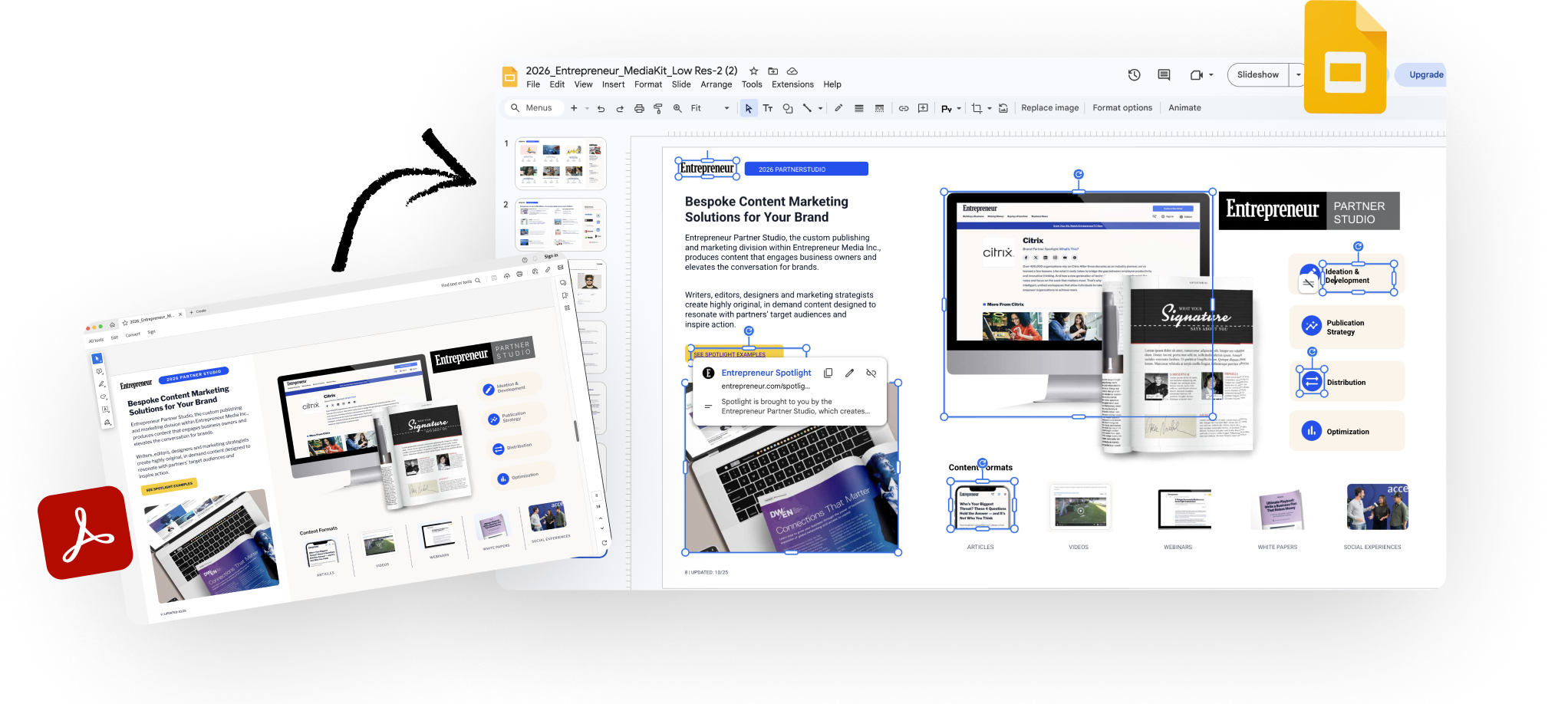
The workflow is short, familiar, and built around the tools you already use.
Processed locally in your browser—we never store or see your files.
Pick only what you need. Securely processed using your personal Google Drive.
Get an editable deck created directly in your own Google Slides account.
Built for people who work with PDFs
Turn handouts, worksheets, and lesson materials into slides you can adapt for class.
Reuse legacy training content and convert static materials into editable decks.
Turn one-pagers, reports, and PDFs into decks you can tailor for every audience.
Convert reports and working documents into slides that are easier to edit and present.
Reuse official documents, case materials, and client-facing PDFs in a presentation-ready format.
FAQ
Yes. The goal is to create Google Slides content you can edit and reuse, not just flat screenshots.
Your original PDF stays in your browser. Temporary conversion assets may be uploaded to your Google Drive account during processing, but the service does not store your original PDFs on its own servers.
PDFs are complex, and a perfect 1:1 match is not always possible. The goal is to give you an editable Google Slides version much faster than rebuilding everything from scratch.
Yes. The extension uses your Google account to create the presentation in Google Slides.
Google API Limited Use: MakeItSlides – PDF Converter for Google Slides uses Google account access only to sign you in, create Slides in your account, and upload temporary Drive assets required for conversion. We do not sell Google user data or use it for advertising.
Early access
It's Free, Fast and Convenient. Improve your productivity and save time for really important things in your life.